Retro Football










RETRO FOOTBALL: THE CLASSIC GRIDIRON GAME
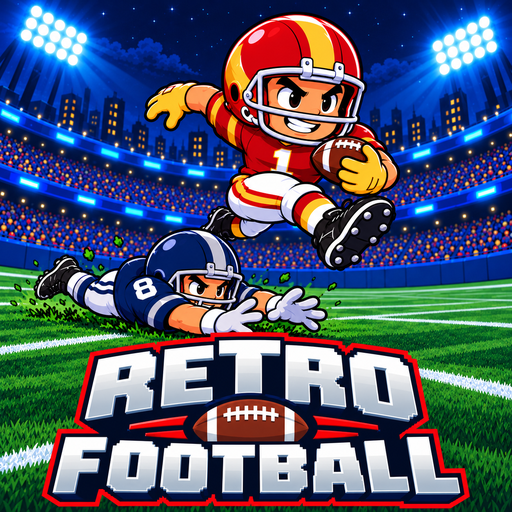
Retro Football is a retro-style American football game where every play can change the course of a match. You handle both sides of the game, switching between offensive plays and defensive decisions in 6 against 6 action. Each snap begins with four play options, so choose your strategy before making a move. Snap the ball, then throw to an open receiver, burst through a gap, or hurdle a diving tackler with a single button. With 32 teams, a 17-week season, and matches lasting around seven minutes, every game brings a quick football challenge. You can also share one keyboard with a friend for a two-player match. The latest version, updated by Gamesforfree.io in October 2026, includes the full set of features.
CORE GAMEPLAY: ATTACK, DEFEND, AND SCORE
Retro Football requires you to balance your individual control skills with the tactical thinking of a head coach:
- Play Calling: Before each snap, pick one of four plays. Offense options include runs, 13 passing plays, team special plays, and unlocked bonus plays. Within five yards of a first down or goal line, you get two runs. On 4th down or in the final twenty seconds, the fourth card becomes a field goal or punt. Defense lets you choose one of four schemes from an 8-play set, including zone, man-to-man, and blitz.
- Season Management: Choose a team and work through the season as you aim for the championship trophy. Check the 32 Teams section for more details about the available teams.
- Offense Tactics: When in possession of the ball, you need to hold Up or Down to select a receiver. An arrow shows your target before you throw. Aim for open teammates because passes into crowded areas can be intercepted. You can also run forward and press the action button to hurdle a defender who dives at you. Advance 20 yards to earn a first down.
- Defensive Tactics: When the opponent attacks, you control a defender and focus on stopping the ball carrier. Dive into the player with the ball to make a tackle, or chase the quarterback and bring them down for a sack.
- Kicking: Kicking takes two inputs. Press once to begin your kicking motion, then press again to set the power. For field goals, watch the moving arrow and snap when it points between the goalposts. You can adjust Kick Aim to Easy, Normal, or Hard in the settings.
- Each side has six players on the field. The offense consists of one quarterback, two receivers, and three linemen. The defense has one linebacker, two cornerbacks, and three linemen.
Understand the Scoring System
Your ultimate goal is to score more points than your opponent. The game applies a very precise scoring system based on American football:
- Touchdown (6 Points): The highest score, achieved when a player successfully runs with the ball into the opponent's end zone.
- Field Goal (3 Points): Take a kick between the goalposts when your team is unable to reach the end zone, often on fourth down.
- Safety (2 Points): Special defensive point awarded when you tackle and stop an opposing player with the ball inside their own end zone.
- Extra Point (1 Point): An additional kick taken immediately after a team successfully scores a Touchdown.
- Two-Point Try (2 Points): After a touchdown, choose to “go for two” instead of attempting an extra point kick.
Controls
- Keyboard: Arrows or WASD to move; Space to snap, throw, dive and hurdle; hold Up or Down to pick a receiver; the arrow keys pick a play card; P to pause, M for sound.
- Two Players: One keyboard: left W A S D + G, right Arrows + L.
- Mouse: Click play cards, menu buttons, icon sound/fullscreen/pause.
- Gamepad: D-pad or left stick to move. A for actions, and Start or B to pause.
- Touch: Drag the stick on the left to move; tap GO to snap, throw, dive and hurdle; tap a play card.
Your First Match
Your first match lasts about four minutes and features easier opponents. Large on-screen prompts signal when to snap, while brief hints introduce each move as you play. Need a reminder? Open the How to Play card from the pause menu at any time. If you lose, the game explains what went wrong and gives you a tip for your next match.
Game Modes
Retro Football offers three ways to enjoy a match, whether you want a quick game, a full season, or a local challenge with a friend.
Quick Play | Jump into a single match against the computer using any team you've unlocked. Your results also count toward in-game rewards. |
Franchise | Take your chosen team through a 17-week football season, then compete in the playoffs: Round One, Semifinals, and the Retro Cup. Your progress saves by week, so you can return to your season later. Matches also contribute to rewards. |
2 Players | Challenge a friend in this 2 player football game using one keyboard. One player controls the left side and the other controls the right. You can even pick the same team, with one player wearing its away kit. Local multiplayer matches do not count toward rewards. |
32 Teams and the Road to the Retro Cup
The tournament brings together 32 retro football teams divided into 2 conferences, each conference consisting of 4 divisions. Initially, 6 teams are ready to compete, while the remaining 26 teams are gradually unlocked through rewards. Each team has its own jersey, 3 representative stars, 9 technical stats, and 1 exclusive special play, such as the Blizzards (Whiteout), the Wranglers (Lasso), or the Prairie Hawks (Hawk Dive).
In Franchise mode, compete across a 17-game regular season, including six home-and-away matchups against your three division rivals. Win your division to reach the playoffs.
In Round 1 Playoffs (Week 18), top 8 teams from each division compete, with seeding based on their performance record. Then in the Semifinal (Week 19), the four winning teams from the first round advance to the tense semi-final matches. In Retro Cup (Week 20), the historic final match will determine the undisputed champion of the season.
Throughout the season, the system continuously updates the standings and league leader lists in the passing, receiving, and rushing categories, making it easy for you to track your team's performance.
Unlock New Teams and Plays
Earn rewards after every three wins, with a random choice of one item from three options. There are 30 rewards in total, including 26 teams and four bonus plays: Iron Wall, Double Move, Flat Outs, and Stacked. Mesh is available from the beginning. The menu also tracks your wins until the next reward. You can customize helmets, jerseys, pants, socks, and gloves with 12 colors or restore each team's original look. No coins or shop purchases are needed. The game does not use a coin system, shop, or daily rewards, meaning all rewards are unlocked entirely through victories on the battlefield.
RELATED FOOTBALL GAMES
After leading your team to victory in Retro Football, continue testing your skills with other exciting football games. Try these titles for more strategic plays, powerful tackles, and thrilling touchdowns!
- Football Bros: Play quick matches with local and online multiplayer.
- Touchdown American Football 3D: Dodge defenders in colorful 3D running levels.
- Linebacker Alley 2: Sprint past defenders through increasingly difficult levels.
- Touchdown 3D: Navigate 3D fields as runners and quarterbacks.
- Return Man: Catch kickoffs and run past incoming defenders.
FAQs
Is Retro Football free to play?
Yes, Retro Football is free to play directly in your browser. You don't need to download anything or create an account. There are no coins or shop purchases. Instead, you unlock new teams and bonus plays by winning matches.
How long is a game of Retro Football?
A regular match takes about seven minutes and consists of two halves. Your first match is shorter, lasting around four minutes to help you learn the game. If both teams finish tied, the match goes into overtime until one team takes the lead.
Can two players play Retro Football?
Yes. Select the 2 Players mode to challenge a friend on the same keyboard. Player 1 uses WASD and G, while Player 2 uses the Arrow Keys and L. Both players can even select the same team, with one wearing its away kit.
How many teams are in Retro Football?
There are 32 teams in total. Six are available from the beginning, while the other 26 can be unlocked through match rewards. Each team has its own colors, three named star players, nine ratings, and a unique special play.
How do I unlock new teams?
Win matches in Quick Play or Franchise mode to earn rewards. Every three wins, you can choose one item from three random options. Rewards include new teams and bonus plays, so keep winning to expand your lineup and playbook.
What is the Retro Cup?
The Retro Cup is the championship final at the end of Franchise mode. First, qualify for the playoffs and compete in Round One during Week 18. The four remaining teams then meet in the Semifinals in Week 19. The finalists face off for the trophy in Week 20.
Can I play Retro Football with a controller?
Yes, Retro Football supports gamepads. Move your player with the D-pad or left stick, then press A to perform actions. Press Start or B to pause the game.